


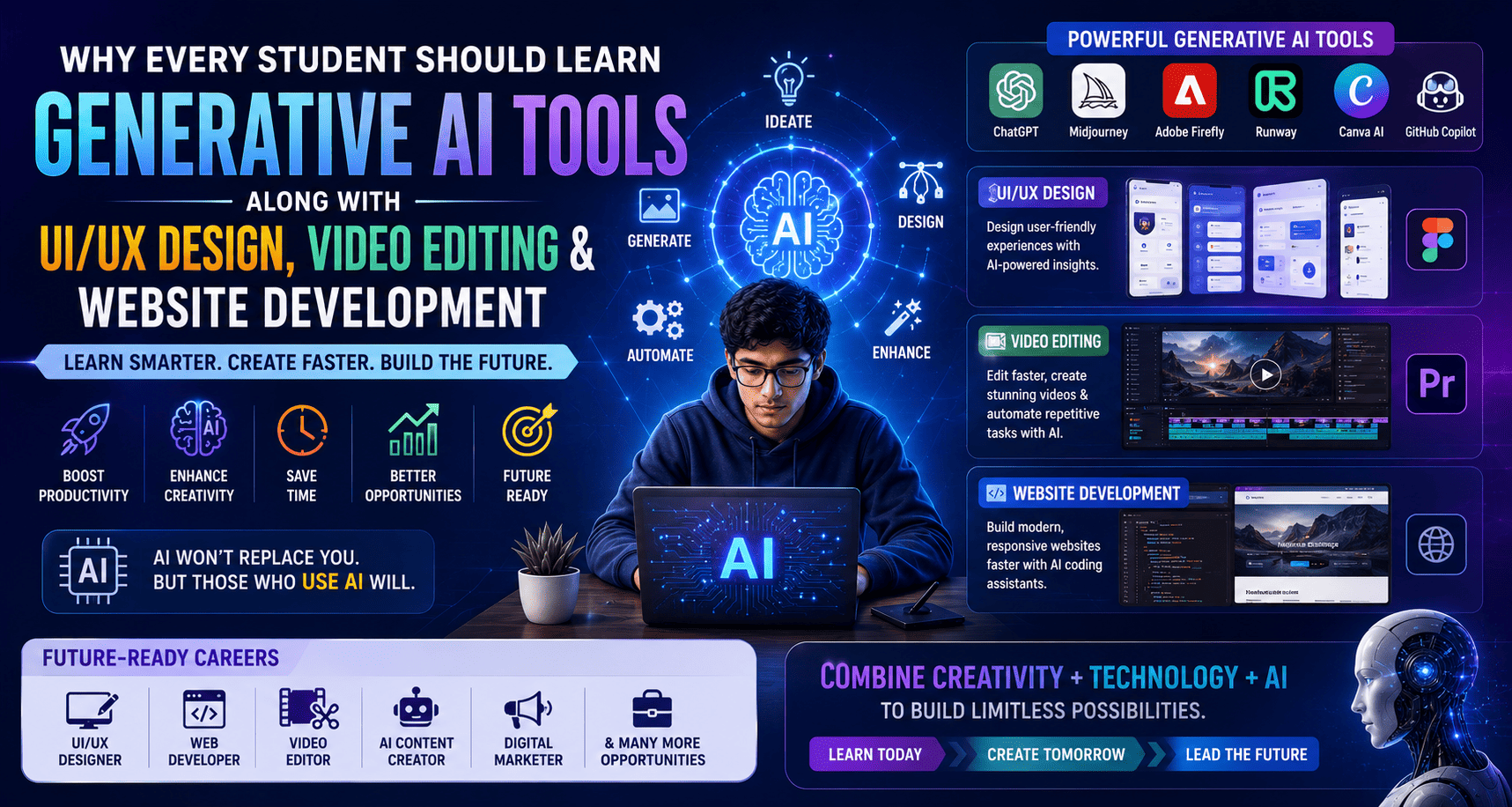
Artificial Intelligence is transforming the way people learn, work, create, and communicate. Rather than replacing creative professionals, Generative AI is helping them work faster, automate repetitive tasks, generate ideas, and improve productivity.
Students who combine Generative AI, UI/UX Design, Website Development, and Video Editing gain a broader, future-ready skill set that aligns with modern industry needs. From creating prototypes and websites to producing videos and digital content, AI-powered workflows are becoming a standard part of many creative and technology careers.
Why Generative AI Is Becoming an Essential Skill
Businesses across industries are adopting AI-assisted tools to streamline design, content creation, coding, marketing, customer support, and multimedia production.
Students who understand how to work with AI can:
- Increase productivity
- Generate creative ideas faster
- Build professional portfolios
- Automate repetitive tasks
- Improve collaboration
- Adapt to evolving workplace technologies
Learning AI alongside creative and technical skills prepares students for modern digital careers.
The Power of Combining AI with Creative Skills
Instead of learning AI separately, students benefit most when AI is integrated into practical creative workflows.
By combining AI with:
- UI/UX Design
- Website Development
- Video Editing
- Graphic Design
- Digital Marketing
- Motion Graphics
students develop versatile skills that are valuable across multiple industries.
1. Generative AI + UI/UX Design
AI tools help designers accelerate the design process without replacing creativity.
Students can use AI for:
- User research summaries
- Wireframe inspiration
- UI copy generation
- Design system documentation
- Accessibility suggestions
- Persona creation
- User journey ideas
Skills to Learn
- Design Thinking
- Figma
- Prototyping
- User Research
- AI-assisted Design Workflows
2. Generative AI + Website Development
AI-powered coding assistants help students understand concepts, generate starter code, debug issues, and improve development speed.
Students learn to build:
- Responsive Websites
- Landing Pages
- Portfolio Websites
- Business Websites
- Blogs
- Interactive Web Interfaces
Technologies
- HTML5
- CSS3
- JavaScript
- WordPress
- Bootstrap
- AI Coding Assistants
3. Generative AI + Video Editing
Video production is evolving rapidly with AI-assisted editing tools.
Students can use AI for:
- Script drafting
- Subtitle generation
- Background noise reduction
- Voice enhancement
- Scene suggestions
- Automated editing assistance
- Thumbnail concepts
Professional Skills
- Storytelling
- Video Editing
- Color Grading
- Motion Graphics
- Audio Editing
- Content Optimization
Popular Generative AI Tools Students Should Learn
Modern creative professionals commonly work with AI tools such as:
- ChatGPT
- Adobe Firefly
- Canva AI
- Runway
- Google Veo
- Midjourney
- ElevenLabs
- GitHub Copilot (for coding assistance)
Understanding when and how to use these tools responsibly can significantly improve productivity.
Career Benefits of Learning Generative AI
Students who combine AI with creative skills can explore careers such as:
- UI/UX Designer
- Web Designer
- Front-End Developer
- Graphic Designer
- Video Editor
- Motion Graphics Designer
- AI Content Creator
- Digital Marketing Executive
- Creative Technologist
- Freelance Creative Professional
Skills Employers Look for in 2026
Employers increasingly value candidates who can:
- Solve problems creatively
- Work with AI responsibly
- Design user-friendly experiences
- Build responsive websites
- Create engaging videos
- Communicate effectively
- Collaborate across teams
- Learn continuously
A combination of technical, creative, and AI-assisted skills often makes candidates more adaptable.
Build a Portfolio That Demonstrates AI Skills
A strong portfolio may include:
- Mobile App UI Designs
- Website Projects
- AI-assisted Design Concepts
- Video Editing Projects
- Motion Graphics
- Landing Pages
- Brand Identity Projects
- Digital Campaigns
Focus on demonstrating your creative thinking and how AI supported—not replaced—your work.
Why Students Should Start Learning Today
The demand for AI-literate creative professionals continues to grow. Students who begin learning these technologies early have more time to build experience, create portfolios, and adapt to changing industry practices.
Developing skills in UI/UX Design, Website Development, Video Editing, and Generative AI provides a strong foundation for careers in technology, media, design, education, e-commerce, and digital marketing.
Frequently Asked Questions (FAQs)
1. What is Generative AI?
Generative AI refers to AI systems that can help create text, images, code, audio, video, and other digital content based on user instructions.
2. Why should students learn Generative AI?
Learning AI helps students improve productivity, develop modern workflows, and prepare for careers where AI-assisted tools are increasingly common.
3. Can AI replace UI/UX Designers or Video Editors?
AI can automate certain repetitive tasks, but creativity, strategic thinking, storytelling, and user-centered design remain essential human skills.
4. Which AI tools should beginners start with?
Beginners can explore tools such as ChatGPT, Adobe Firefly, Canva AI, Runway, and coding assistants while also learning core design and development fundamentals.
5. Is coding necessary for Website Development?
Yes, understanding HTML, CSS, and JavaScript provides a strong foundation. AI coding assistants can support learning but should not replace understanding the fundamentals.
6. Can I freelance after learning these skills?
Yes. Many freelancers combine UI/UX Design, Website Development, Video Editing, and AI-assisted content creation to provide services for businesses and creators.
7. Are AI skills enough to get a job?
AI skills are most valuable when combined with practical knowledge, creative thinking, communication abilities, and a strong portfolio.
Conclusion
Generative AI is becoming an important part of the modern creative and technology landscape. Students who combine AI with UI/UX Design, Website Development, and Video Editing gain practical, future-ready skills that can improve productivity and expand career opportunities.
The strongest professionals will be those who understand both the fundamentals of design and development and the effective use of AI tools. By building hands-on experience, creating real-world projects, and continuously learning, students can prepare themselves for the evolving demands of the digital economy.