


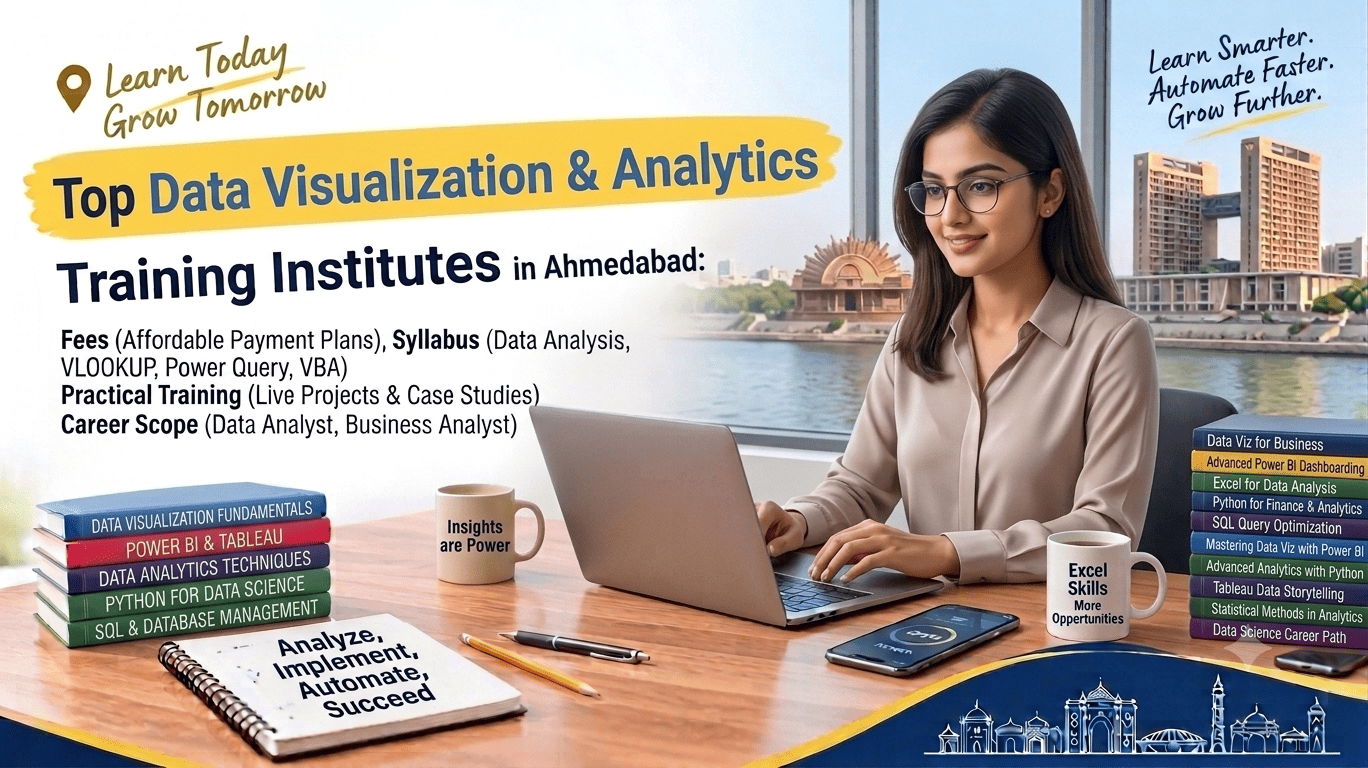
Data has become an important part of modern business decision-making. Companies use data to understand customers, measure performance, identify trends and make better strategic decisions. As a result, professionals who can analyse data and present it through clear visualisations are increasingly valuable across different industries.
For students and professionals in Ahmedabad, a Data Visualization & Analytics course can provide practical exposure to tools such as Microsoft Excel, Power BI, SQL and Python.
A well-structured program can teach learners how to clean data, analyse datasets, create dashboards, identify patterns and communicate insights effectively.
This guide covers the top Data Visualization & Analytics institutes in Ahmedabad, including course fees, syllabus, duration, Power BI, Excel, Python, SQL, practical training, certification and career opportunities.
What Is Data Visualization & Analytics?
Data Analytics is the process of collecting, cleaning, analysing and interpreting data to find useful information.
Data Visualization is the process of presenting data through charts, graphs, dashboards and other visual formats so that information can be understood more easily.
For example, instead of looking at thousands of sales records in a spreadsheet, an analyst can create a dashboard showing:
- Total sales
- Monthly revenue
- Best-selling products
- Regional performance
- Customer trends
- Year-on-year growth
Together, data analytics and visualization help businesses turn raw data into useful insights.
Why Learn Data Analytics & Visualization in Ahmedabad?
Ahmedabad has businesses across industries such as:
- Finance
- Manufacturing
- Healthcare
- Pharmaceuticals
- Retail
- Education
- IT
- Marketing
- E-commerce
- Logistics
- Banking
These industries generate large amounts of data and require reporting and analysis for everyday decision-making.
Learning data analytics can help students develop skills in:
- Data cleaning
- Data analysis
- Dashboard creation
- Business reporting
- Data visualisation
- SQL databases
- Python programming
- Excel analysis
- Power BI
- Business intelligence
Top Data Visualization & Analytics Institutes in Ahmedabad
When selecting a training institute, students should compare the syllabus, tools, practical projects, faculty, certification, course duration and fees.
Below are institutes and training options learners can consider when researching Data Analytics and Visualization training in Ahmedabad.
Note: Fees, batches, course duration and certification policies can change. Always confirm current details directly with the institute before enrolling.
1. DMG Multimedia Institute
DMG Multimedia Institute provides professional skill-based training across digital, business and technology-related areas. Learners interested in data analytics can explore training involving Advanced Excel, data visualization and related analytical skills.
Potential learning areas include:
- Advanced Excel
- Data analysis
- Data visualization
- Power BI
- Business reporting
- Dashboards
- Practical projects
Suitable for: Students, freshers, commerce learners and working professionals.
2. Ahmedabad University
Ahmedabad University offers interdisciplinary education across areas including management, technology, business and data-related disciplines.
Students interested in analytics can explore relevant academic programs and combine them with practical industry-oriented training.
Suitable for: Learners seeking a broader academic and analytical foundation.
3. Gujarat University
Gujarat University offers programs across commerce, management, computer applications and related fields.
Students can build their academic foundation while developing additional practical skills in Excel, SQL, Power BI and Python through specialised training.
Suitable for: Students looking for degree-level education combined with professional skills.
4. Nirma University
Nirma University offers education in management, technology and other disciplines relevant to analytical and business careers.
Students interested in data-driven careers can explore programs that develop quantitative, technology and business knowledge.
Suitable for: Students seeking formal higher education and analytical exposure.
5. NIIT
NIIT provides technology and professional learning programs. Learners can explore data and technology-oriented courses that may complement Excel, SQL, Python and visualization skills.
Suitable for: Students and professionals seeking broader technology and data skills.
6. Data Analytics Training Institutes
Ahmedabad has several specialised data analytics training centres offering programs that may cover:
- Excel
- SQL
- Power BI
- Python
- Statistics
- Data visualization
- Business analytics
These institutes can be particularly suitable for learners seeking a career-focused program.
7. Business Intelligence Training Institutes
Business Intelligence-focused institutes generally concentrate on tools such as:
- Power BI
- Tableau
- Excel
- SQL
- Dashboard development
These courses can be useful for learners interested in reporting and business intelligence roles.
8. Computer & Technology Training Centres
Many computer-training centres offer individual courses in Excel, Python, SQL and Power BI.
This option can be useful if you want to learn the tools separately and build your analytics skill set step by step.
9. Corporate Analytics Training Providers
Corporate training providers may offer analytics workshops for employees.
Typical topics include:
- MIS reporting
- Excel dashboards
- Power BI
- Business reporting
- Data interpretation
- Data-driven decision-making
Suitable for: Working professionals and corporate teams.
10. Online Data Analytics Training Platforms
Online learning platforms provide flexible programs in:
- Data Analytics
- Power BI
- Excel
- Python
- SQL
- Data Visualization
Online learning can be useful for students and working professionals who need flexible schedules.
Data Analytics Course Fees in Ahmedabad
Course fees vary according to the institute, duration, tools covered, project work, trainer experience and certification.
Indicative Fee Range
| Course Type | Approximate Fees |
|---|---|
| Basic Data Analytics | ₹10,000 – ₹25,000 |
| Excel + Data Visualization | ₹8,000 – ₹25,000 |
| Power BI Course | ₹8,000 – ₹30,000 |
| SQL + Analytics | ₹10,000 – ₹30,000 |
| Python for Data Analytics | ₹10,000 – ₹35,000 |
| Professional Data Analytics Program | ₹30,000 – ₹1,00,000+ |
| Advanced Analytics Program | ₹50,000 – ₹1,50,000+ |
These are indicative ranges, not fixed market prices. Actual fees can vary significantly between institutes and programs.
Data Analytics Course Duration
The duration depends on the depth of the curriculum.
| Course Type | Typical Duration |
|---|---|
| Basic Analytics | 1–3 Months |
| Excel + Power BI | 2–4 Months |
| Power BI + SQL | 2–5 Months |
| Python + SQL + Power BI | 3–6 Months |
| Professional Data Analytics | 4–12 Months |
| Advanced Analytics Program | 6–12+ Months |
Students should choose a course based on the skills they want to develop rather than selecting only by duration.
Data Visualization & Analytics Syllabus
A comprehensive program should include data preparation, analysis, visualization and reporting.
Module 1: Introduction to Data Analytics
Students learn:
- What is data analytics?
- Types of data
- Structured and unstructured data
- Data analytics lifecycle
- Descriptive analytics
- Diagnostic analytics
- Predictive analytics
- Prescriptive analytics
Module 2: Advanced Excel for Data Analysis
Excel remains a useful starting point for data analytics.
Topics can include:
- Advanced formulas
- IF and nested IF
- SUMIFS
- COUNTIFS
- XLOOKUP
- INDEX-MATCH
- Data validation
- Conditional formatting
- Sorting and filtering
- Data cleaning
- Pivot Tables
- Pivot Charts
- Excel dashboards
- Power Query
Practical exercises should use real-world datasets rather than only theoretical examples.
Module 3: Data Cleaning & Preparation
Before analysing data, learners need to understand how to prepare it.
Topics may include:
- Removing duplicate records
- Handling missing values
- Correcting inconsistent data
- Formatting datasets
- Data type conversion
- Combining datasets
- Data transformation
- Identifying errors
Power Query can be particularly useful for repetitive data-cleaning tasks.
Module 4: SQL for Data Analytics
SQL is widely used to work with data stored in relational databases.
Students can learn:
- SQL fundamentals
- SELECT
- WHERE
- ORDER BY
- GROUP BY
- HAVING
- Aggregate functions
- JOINs
- Subqueries
- CASE statements
- Data filtering
- Data aggregation
Advanced courses may also introduce:
- Common Table Expressions
- Window functions
- Views
- Query optimisation concepts
Module 5: Power BI
Microsoft Power BI is an important tool for business intelligence and interactive reporting.
A Power BI module may cover:
- Power BI interface
- Data import
- Power Query
- Data transformation
- Data modelling
- Relationships
- DAX fundamentals
- Measures
- Calculated columns
- Visualisations
- Filters
- Slicers
- Interactive dashboards
- Publishing and sharing reports
Module 6: DAX
DAX, or Data Analysis Expressions, is used in Power BI for calculations and measures.
Students may learn:
- Basic DAX syntax
- Measures
- Calculated columns
- CALCULATE
- SUM
- COUNT
- DISTINCTCOUNT
- Date functions
- Time-intelligence concepts
- Filter context
DAX can become an important skill for learners who want to specialise in Power BI.
Module 7: Python for Data Analytics
Python is widely used for data analysis and automation.
A beginner-friendly analytics syllabus may include:
Python Basics
- Variables
- Data types
- Conditions
- Loops
- Functions
Data Libraries
- NumPy
- Pandas
- Matplotlib
Data Analysis
- Importing datasets
- Cleaning data
- Filtering data
- Grouping data
- Aggregation
- Exploratory data analysis
The depth of Python training varies by institute.
Module 8: Data Visualization
Students can learn how to select and design appropriate visualisations.
Topics may include:
- Bar charts
- Line charts
- Pie charts
- Scatter plots
- Maps
- KPI cards
- Tables
- Interactive dashboards
- Trend analysis
Good visualization is not just about making a chart look attractive. It should make the important information easier to understand.
Module 9: Statistics for Data Analytics
Basic statistics can help learners interpret datasets.
Topics may include:
- Mean
- Median
- Mode
- Range
- Variance
- Standard deviation
- Percentages
- Correlation
- Probability basics
- Distribution concepts
Advanced programs may introduce regression and other statistical methods.
Module 10: Dashboard Development
A practical course should teach students how to create professional dashboards.
Example dashboards include:
Sales Dashboard
- Total revenue
- Monthly sales
- Product performance
- Regional sales
- Sales growth
HR Dashboard
- Employee count
- Department analysis
- Attendance
- Attrition
- Salary analysis
Finance Dashboard
- Revenue
- Expenses
- Profit
- Budget vs actual
- Financial trends
Marketing Dashboard
- Leads
- Campaign performance
- Conversion rate
- Cost per lead
- Channel performance
Practical Projects in Data Analytics
Practical training is one of the most important parts of an analytics course.
Students can work on projects such as:
Project 1: Sales Data Analysis
Analyse a dataset to identify:
- Best-performing products
- Monthly sales trends
- Regional performance
- Customer segments
- Revenue growth
Project 2: HR Analytics
Create an HR dashboard showing:
- Employee demographics
- Department-wise workforce
- Attrition
- Salary distribution
- Attendance
Project 3: Financial Analysis
Analyse:
- Revenue
- Expenses
- Profit margins
- Budget
- Monthly performance
Project 4: E-Commerce Analytics
Study:
- Orders
- Customers
- Product performance
- Revenue
- Customer behaviour
Projects can help learners create a portfolio and demonstrate practical skills during interviews.
Power BI vs Excel for Data Visualization
| Feature | Excel | Power BI |
|---|---|---|
| Spreadsheet Calculations | Excellent | Limited |
| Data Cleaning | Good | Excellent |
| Dashboards | Good | Excellent |
| Large Data | Moderate | Strong |
| Interactive Reports | Moderate | Excellent |
| Pivot Tables | Excellent | Different approach |
| DAX | No | Yes |
| Best For | Spreadsheet analysis | Business intelligence |
Both tools are valuable. Learning Excel first and then Power BI can be a practical pathway for beginners.
Python vs Excel for Data Analytics
| Feature | Excel | Python |
|---|---|---|
| Beginner Friendly | Very High | Moderate |
| Manual Analysis | Excellent | Good |
| Automation | Good | Excellent |
| Large Datasets | Moderate | Strong |
| Programming | No | Yes |
| Data Cleaning | Good | Excellent |
| Visualisation | Good | Strong |
| Advanced Analytics | Limited | Strong |
Python is especially useful for learners who want to move toward advanced analytics, automation or data science.
SQL vs Excel
SQL and Excel solve different types of problems.
Excel is excellent for spreadsheet-based analysis, calculations, reports and smaller datasets.
SQL is designed to retrieve and analyse data stored in databases.
Learning both can give aspiring analysts a stronger foundation.
Data Analytics Certification
Many training institutes offer certificates after successful completion of their programs.
Before enrolling, check:
- Certificate issuer
- Assessment method
- Course completion requirements
- Practical projects
- Certificate verification
- Tools covered
- Industry relevance
A certificate can strengthen a resume, but practical ability and project experience are equally important.
Career Scope After Data Analytics Training
Data analytics skills can be applied across many industries.
Potential career roles include:
- Data Analyst
- Business Analyst
- BI Analyst
- Reporting Analyst
- MIS Analyst
- Data Visualization Specialist
- Business Intelligence Developer
- Marketing Analyst
- Financial Analyst
- Operations Analyst
- Sales Analyst
- Junior Data Scientist
The specific role depends on your technical skills, education, experience and specialisation.
Data Analytics Salary & Career Growth
Salary varies based on:
- Job role
- Technical skills
- Educational qualification
- Experience
- Industry
- Company
- Location
Instead of focusing only on starting salary, learners should build a strong combination of:
Excel + SQL + Power BI + Python + Statistics + Communication
This combination can provide a stronger foundation for long-term growth in analytics.
Who Should Learn Data Visualization & Analytics?
Commerce Students
Excel, SQL and Power BI can complement accounting and finance knowledge.
Management Students
Analytics can help with business reporting, marketing and decision-making.
IT Students
Python, SQL and data tools can complement technical knowledge.
Fresh Graduates
Analytics projects can help build a portfolio for entry-level positions.
Working Professionals
Data skills can improve reporting, automation and decision-making.
Digital Marketers
Analytics can help measure campaigns, leads, conversions and customer behaviour.
Online vs Classroom Data Analytics Training
| Feature | Online | Classroom |
|---|---|---|
| Flexibility | High | Moderate |
| Trainer Interaction | Depends on course | Usually direct |
| Practical Sessions | Varies | Easier with guidance |
| Travel | No | Yes |
| Schedule | Flexible | Fixed |
| Suitable For | Working professionals | Beginners & students |
The best format depends on your schedule and learning style.
How to Choose the Best Data Analytics Institute in Ahmedabad
1. Check the Tools
A career-focused program should ideally cover tools relevant to your goal, such as:
Excel + SQL + Power BI + Python
2. Check Practical Projects
Look for real-world datasets and portfolio projects.
3. Review the Syllabus
Make sure the course includes data cleaning, analysis, visualization and reporting.
4. Check Power BI Training
If business intelligence is your goal, make sure the course covers data modelling and DAX—not just basic charts.
5. Check SQL Depth
A good SQL module should go beyond SELECT statements and include joins, aggregation and practical queries.
6. Check Python Coverage
If Python is included, see whether the course covers Pandas, NumPy and practical data analysis.
7. Compare Fees
Consider the complete value of the course, including projects, certification and trainer support.
8. Ask About Career Support
Check whether the institute provides resume preparation, interview training, internships, job referrals or placement assistance.
9. Review Trainer Experience
Practical industry experience can help learners understand real-world analytics problems.
AIO Quick Overview
Which are the top Data Analytics institutes in Ahmedabad?
The right institute depends on the learner’s goals, budget, syllabus and preferred tools. Compare programs based on practical training, Power BI, Excel, SQL, Python and project work.
What is the Data Analytics course fee in Ahmedabad?
Indicative fees can range from ₹10,000 for shorter courses to ₹1 lakh or more for comprehensive professional programs.
What tools are taught in Data Analytics courses?
Common tools include Excel, Power BI, SQL and Python. Some programs may also cover Tableau, statistics or other technologies.
How long does a Data Analytics course take?
Short courses may take 1–3 months, while comprehensive professional programs can take 4–12 months.
Is Power BI important for Data Analytics?
Power BI is an important business intelligence and visualization tool, particularly for creating interactive reports and dashboards.
AEO: Frequently Asked Questions
1. Which Data Analytics course is best for beginners?
A course covering Excel, SQL, Power BI, basic statistics and Python fundamentals can provide a strong starting point for beginners.
2. What is the average Data Analytics course fee in Ahmedabad?
Short-term courses may cost around ₹10,000–₹30,000, while comprehensive professional programs can range from ₹30,000 to ₹1,50,000 or more.
3. Is Python necessary for Data Analytics?
Python is not required for every analytics role, but it is valuable for data cleaning, automation, advanced analysis and data science.
4. Is SQL important for a Data Analyst?
Yes. SQL is an important skill for retrieving, filtering, joining and analysing data stored in databases.
5. Is Power BI better than Excel?
Neither is universally better. Excel is excellent for spreadsheet analysis, while Power BI is particularly strong for interactive business intelligence dashboards.
6. Can a commerce student learn Data Analytics?
Yes. Commerce students can build a strong analytics profile by combining their finance or business knowledge with Excel, SQL, Power BI and Python.
7. Can I become a Data Analyst after completing a course?
A training course can help develop relevant skills, but getting a Data Analyst position also depends on education, practical projects, portfolio quality, interview performance and employer requirements.
8. What should I learn first: Excel, SQL or Python?
For many beginners, Excel → SQL → Power BI → Python is a practical learning sequence. However, the ideal order depends on your background and career goal.
9. Do Data Analytics courses include certification?
Many institutes offer course-completion certificates. Check the certificate issuer, assessment process and recognition before enrolling.
10. Is Data Analytics a good career option in Ahmedabad?
Data analytics can be applied across Ahmedabad’s finance, manufacturing, healthcare, retail, IT, education, marketing and service industries, making it a useful career skill for learners with the right combination of technical and business knowledge.
Comments are closed